What funnels are and how they work
A funnel is a small public web page with a sign-up form. You share the form link, and a submission creates a contact or matches one already in your account. You can also set up an email follow-up or connect a campaign to the funnel.
What a visitor sees
When someone opens your form link they see a page with:
- A header image (you choose it)
- A title at the top
- A short description (your body copy)
- A form for contact details, with text-message consent when they provide a phone number
When they submit the form:
- A new contact is created, or an existing contact is matched, in your Contacts list.
- If you set a funnel Tag, it is added to that contact.
- If you filled in both Email Subject and Email Body, an eligible contact's email follow-up is queued. Delivery depends on the account and contact being ready to receive it.
- If you selected a resource and included
{{resourceLink}}in Email Body, that token becomes the resource link in the email. - If you selected a Custom or Drip campaign, an eligible signup starts that campaign. A funnel does not send a separate automatic text reply on its own.
Where to find funnels in the app
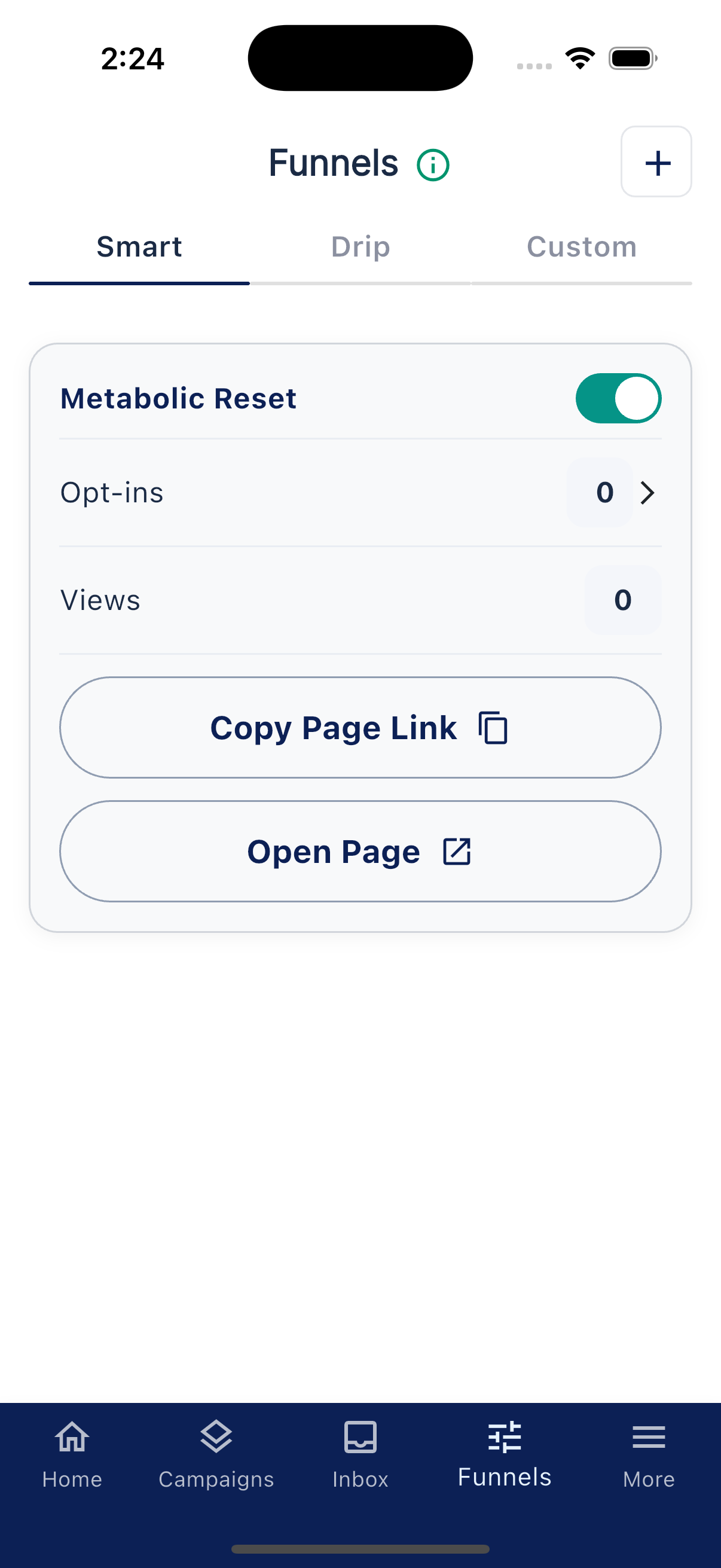
Tap Funnels at the bottom of the app. The screen explains:
Guide Your Leads from Start to Finish
There are three types of Funnels: Smart, Drip, and Custom.
The three tabs:
- Smart. Prebuilt landing pages for product topics. Duplicate one to your Custom funnels to customize it, then turn on the copy before sharing.
- Drip. Pre-built landing pages tied to Life Steps Classes.
- Custom. Funnels you build yourself from scratch. Empty tab shows "No custom funnels yet. Tap + to create your first custom funnel".
Each funnel's card shows its Opt-ins and Views counts, a Copy Page Link button for its share link, and an Open Page button. Tapping a funnel opens its edit form.
Tap the + in the top corner (tooltip "Add Funnel") to create a new one.
Sharing your funnel
After your funnel is set up, copy the form link from the funnel and paste it anywhere: Instagram bio, in a text message, in your email signature, in a class. The app shows "Form link copied to clipboard" when you copy it.
What funnels are not
- Not a payment page. Funnels are for capturing leads, not collecting money.
- Not an ongoing sequence on their own. A funnel can queue an optional email. For a multi-day follow-up, connect a Drip or Custom campaign.
- Not editable as templates. Smart and Drip funnels are read-only when shipped. To customize, duplicate them first. The app will tell you "Template funnels are prebuilt. To customize, duplicate this funnel to your Custom Funnels."