Sends and upcoming sends
Sends shows recent completed messages from campaigns, automations, and individual conversations. Upcoming Sends on Home is a preview of expected campaign sends for the date shown. A preview is not confirmation that messages are queued or have gone out.
Past sends
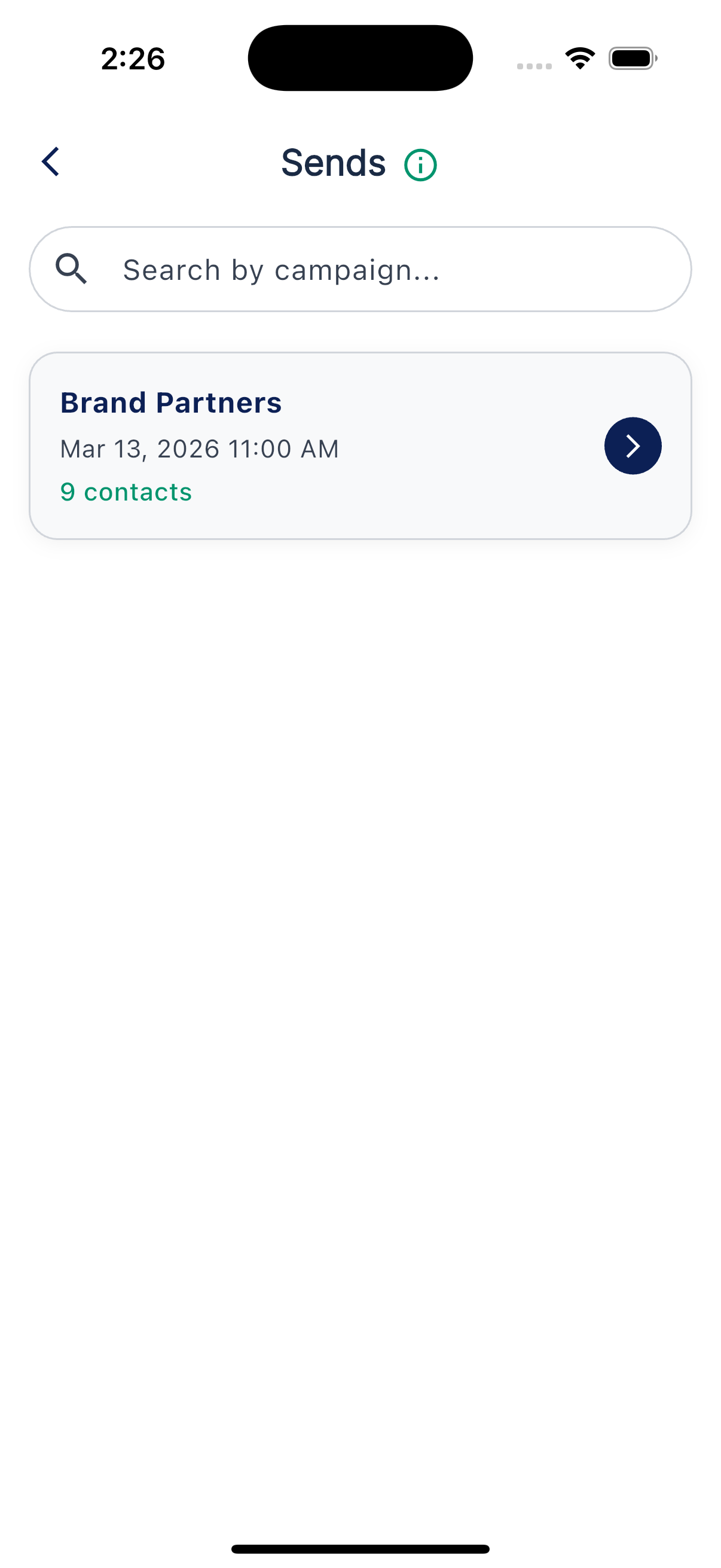
The list lives under More, then Sends. Each row shows its title, date and time, and contact count. The newest entries appear first. Use the search field to find an entry by title.
Who a send went to
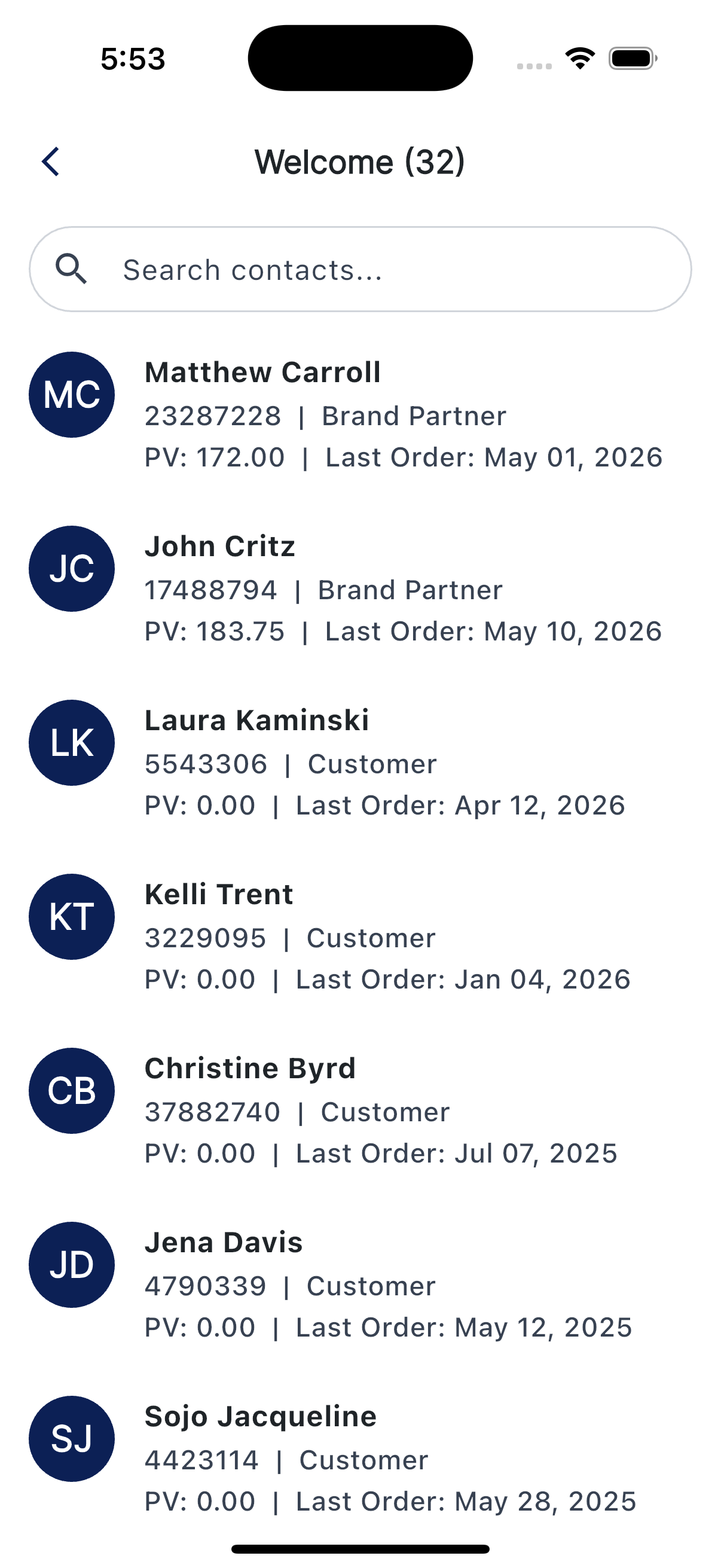
Tap a send to open its contact list. Use the search bar to find a person, and tap a contact to open their record. A Sends entry records completed activity in the app; it does not by itself confirm delivery to every recipient.
Upcoming sends
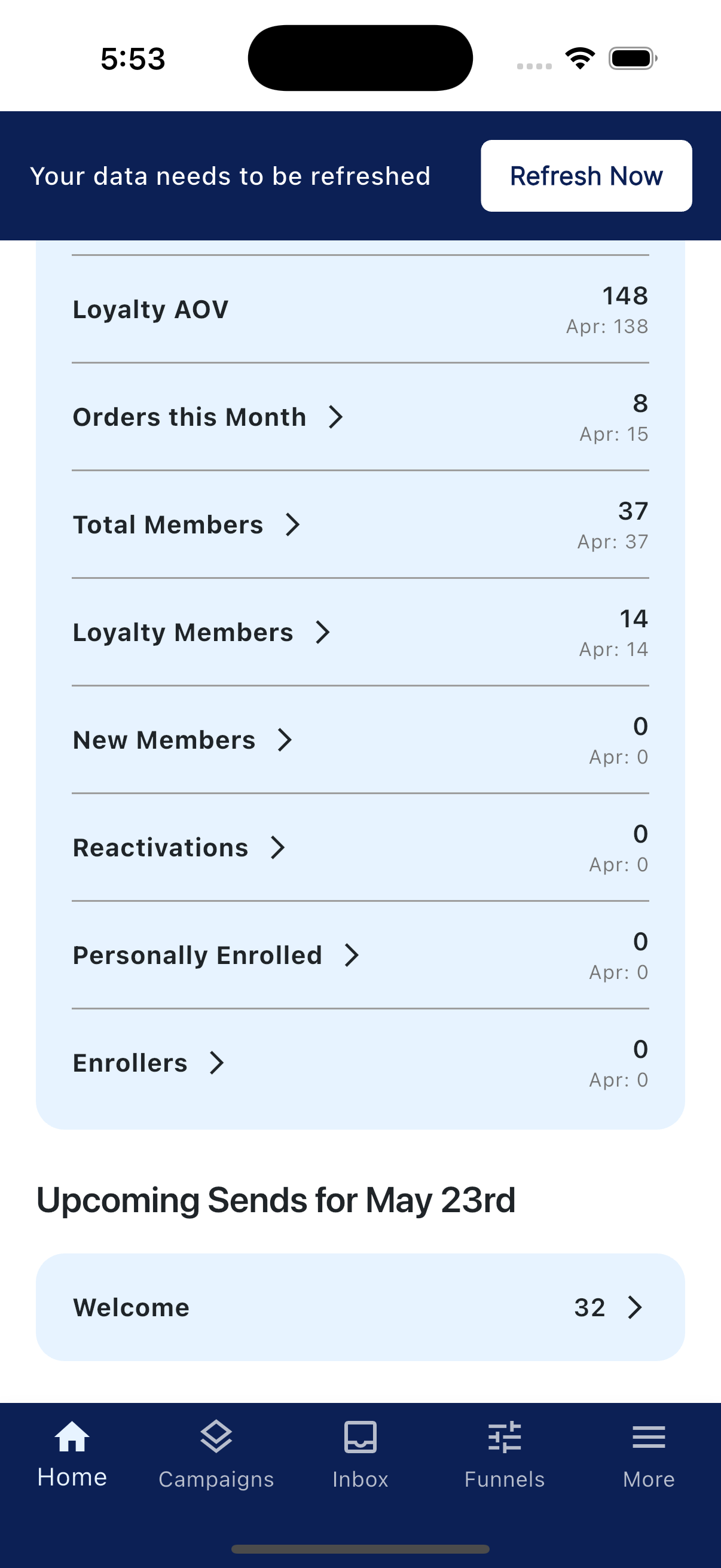
Scroll down on Home to find Upcoming Sends. The heading shows the date the preview targets, often tomorrow. Each row shows a campaign and an estimated contact count. The app builds a daily preview in the afternoon and can refresh it after some campaign or group changes. Counts can change before the actual send.
Tap an upcoming send to review the contacts currently in its preview. To stop future campaign activity, review its switch before the send starts. If you need to stop a send that may already be in progress, contact support.