Business info and phone number registration
Setup walks you through nine short steps. The first few collect the information the mobile carriers require to register your phone number for sending texts.
Confirm your contact info
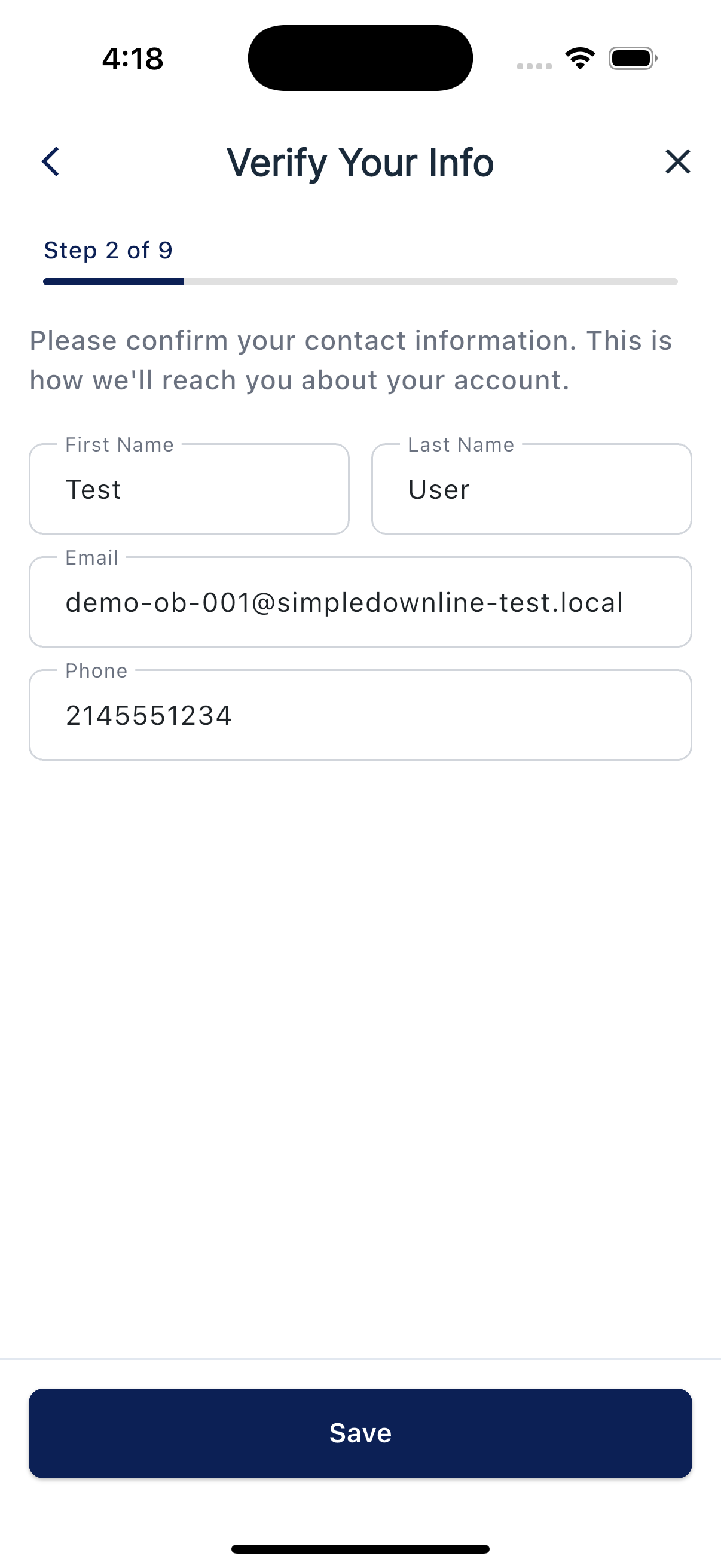
First, the app asks you to confirm your own contact information: name, email, and phone. This is how we reach you about your account, so fix anything that looks off before tapping Save.
Pick Sole Proprietorship or Business
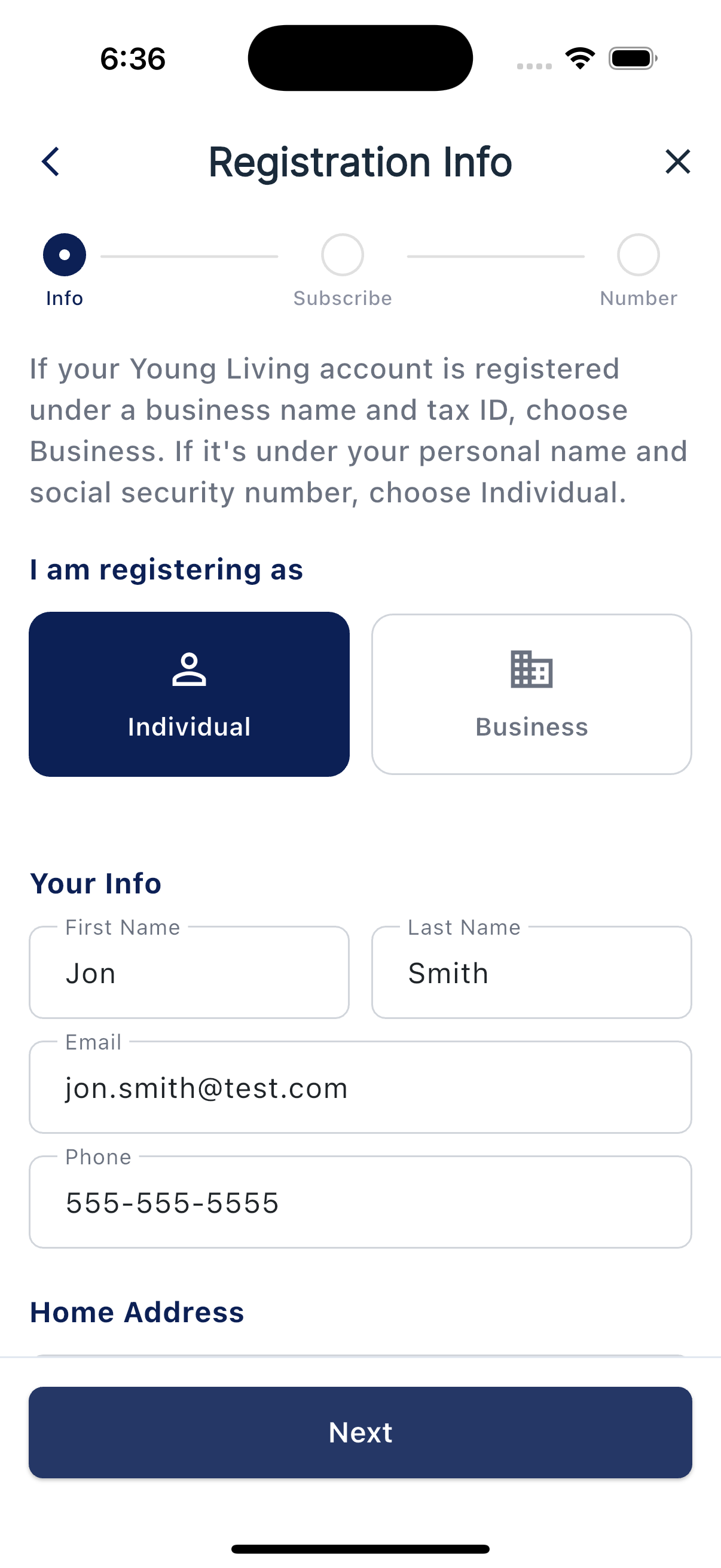
Next is the Registration Info screen. At the top you'll see two options: Sole Proprietorship (just me) and Business (LLC, S-Corp, etc.), with this guidance:
If your Young Living account is registered under a business name and tax ID, choose Business. If it's under your personal name and social security number, choose Individual.
Most Brand Partners pick Sole Proprietorship. Choose Business only if you've set up an LLC or corporation for your YL business.
What you'll fill out
If you picked Sole Proprietorship, just your Home Address: street address, city, state, and ZIP. No EIN needed - registration goes under your own name.
If you picked Business, sections for Business Details, Authorized Representative, and Business Address:
- Business name and Business Type
- EIN (your tax ID)
- Authorized representative's name (you, in most cases)
- Business Title and job position
- Phone, email, and business address
Most fields prefill from your Young Living profile, so it's faster than it looks.
What happens next
After you tap Next, the app walks you through the rest of setup in this order:
- Set up your filters so the right people get your messages.
- Choose your welcome message.
- Subscribe to a plan.
- Get your phone number.
- Wait for SMS approval if your business registration requires carrier review. Review times vary. Your Welcome will start off so you can review it before turning it on.
Carrier approval makes texting possible; it does not turn on your Welcome for you. Review Welcome in Campaigns and switch it on when you are ready. Email availability depends on your active plan and account setup.
Your phone number
At the Choose Phone Number step, search by a 3-digit area code or 5-digit US ZIP code. Choose from the available local numbers shown, then tap Select This Number. The app claims your selection and starts the applicable registration process. If a number is already on your account, the screen shows it and lets you continue.
Waiting for approval
If your business registration requires carrier review, the app shows a registration status screen after you confirm your number.
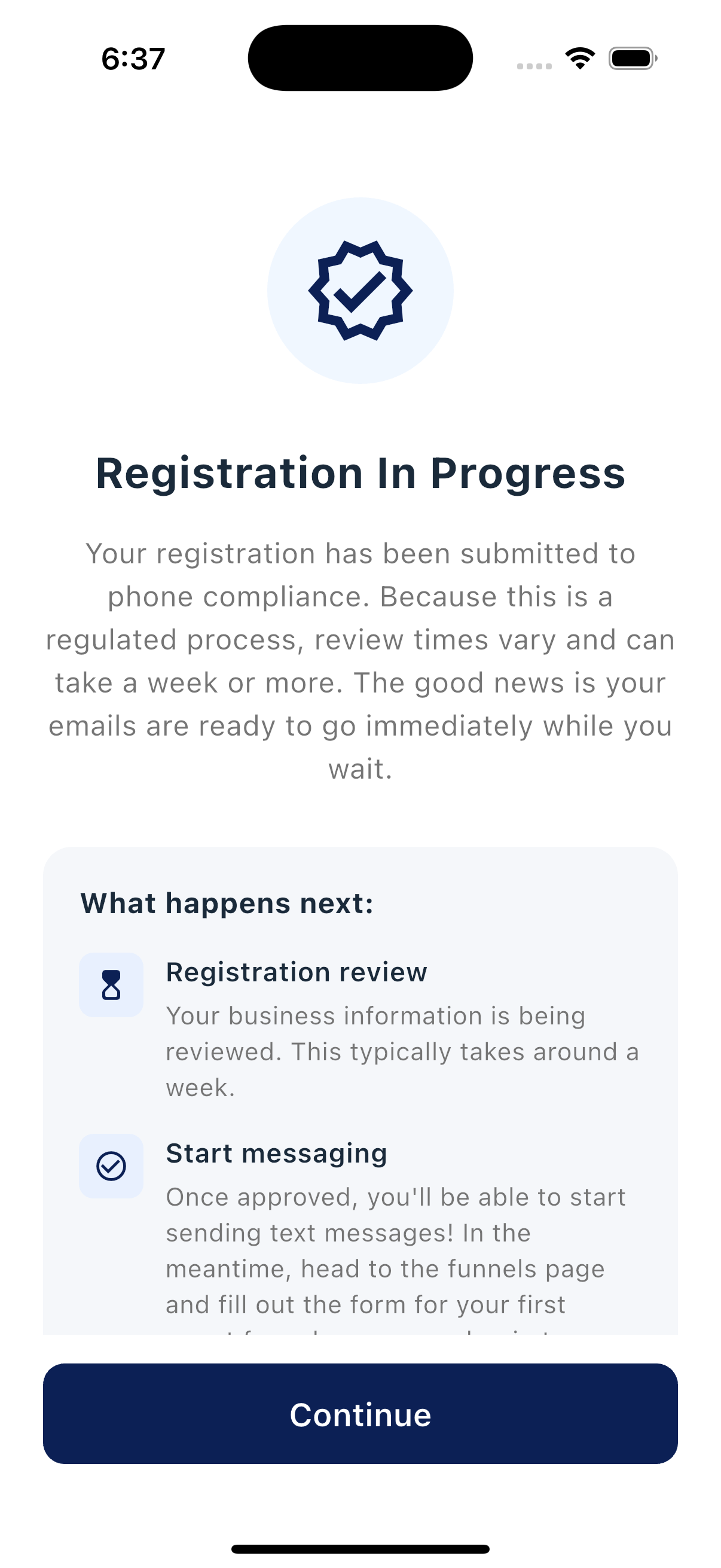
If carrier review is required, you can finish the setup steps and review your Welcome while the registration is pending. The app will prevent turning Welcome on until the number is approved.
Need to update later?
Right now, the Registration Info screen is filled out once during setup. If something needs to change later (a new address, a new EIN, a typo in your name), contact support and we'll update it for you.